For the past few years, I was always trying to find the best plugin that would allow converting images in WordPress to modern formats like WEBP and, more recently AVIF. In most of the options I tried, it didn't work correctly for Elementor background images (or any images that are included in CSS files.)
In other cases, as with Webp Express, I could use rewrite rules on apache servers to correctly serve the images in the formats that are compatible with the browsers of each user of our website. However, this plugin has the limitation of not working well on NGINX or LiteSpeed servers. Besides, it is not compatible with AVIF.
CompressX: The best plugin I've found so far
Finally, in the last few months I have been using CompressX which is giving me very good results, allowing to convert and serve correctly the images in modern and optimized formats. Even with the background images (images coming from css files) on all types of servers where I have tested it (Apache, NGNIX and LiteSpeed).
In addition, the interface is easy to use. We simply activate the automatic conversion, choose the php library we will use to convert the images and the formats we want:
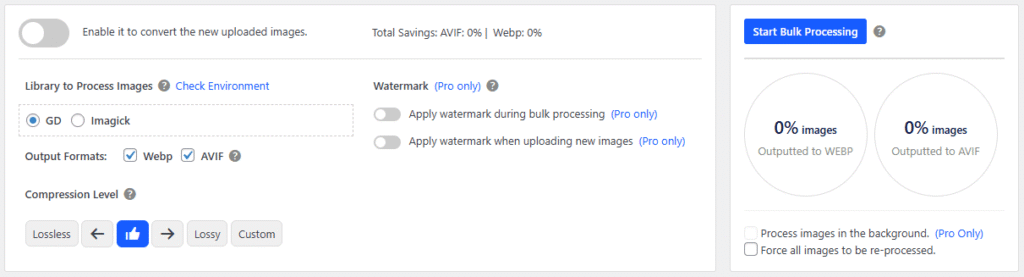
It is advisable to click on "Check enviroment" to see what version of Imagick we have on our server. If we decide to use Imagick, it is important to keep in mind that versions lower than 7.x, may cause problems when converting PNGs to AVIF.
In this case we can disable this conversion or use GD.

Finally, we can also bulk convert all current images on the site.
Considerations when migrating the site with optimized images
I have noticed that sometimes it is necessary to deactivate the plugin and re-activate it to make the redirects to the optimized versions of the images work after a hosting migration.
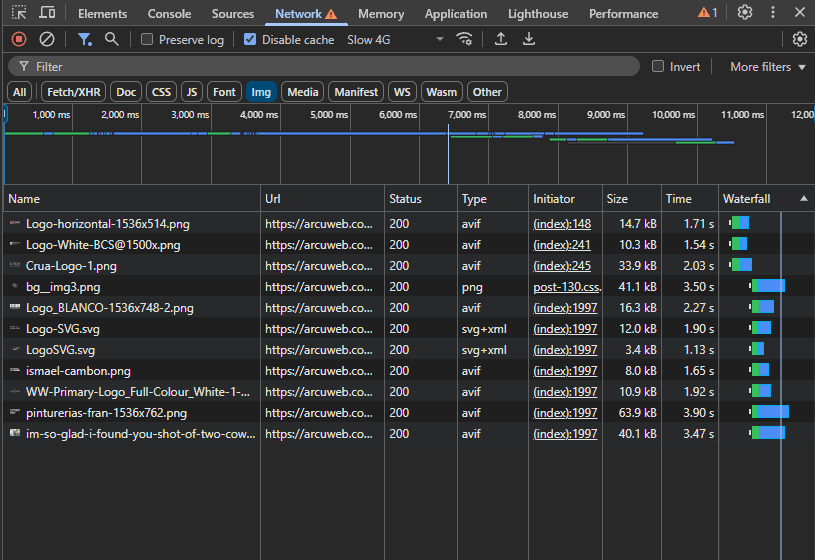
How do I know if optimized images are being displayed?
When we open the developer tools and enter our site, in the network tab, we will be able to filter by image files and see their format:
How do I know if the images are being redirected correctly according to the compatibility of each user's browser?
Although AVIF and WEBP are quite compatible nowadays. The ideal is to have a fallback for the case of older browsers that are incompatible. This plugin does it automatically and we can check it as follows:
Step 1
We enter postmanIf you do not have an account, create an account and create a new HTTP request.
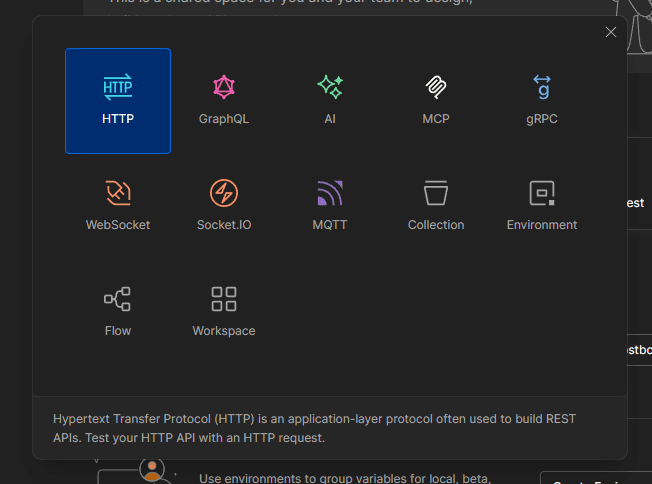
Step 2
We copy the URL of one of the images of our site and put it in Postman.
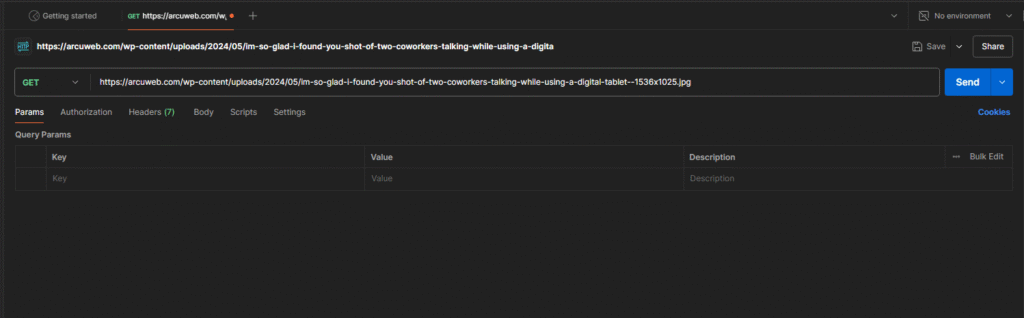
Step 3
In the headers part, we configure Accept as follows:

To test compatibility with webp:
image/webp,image/jpeg,image/apngTo test avif compatibility:
image/avif,image/jpeg,image/apngTo test compatibility with jpeg and png only:
image/jpeg,image/apngStep 4
We send the request and go to the response headers:

In the Content-Type part we must see the format that we specify in our request.
We should repeat the test with the 3 formats (AVIF, WEBP and PNG/JPEG) to make sure that the right format is delivered according to the request.
This "Accept" header is normally sent by each user's browser, specifying which image formats are compatible with it. So, with these tests, we can confirm the correct configuration of our server for compatibility in the delivery of images for all users.
Do you need help with this?
We identify and resolve performance issues, errors, and configuration problems with your WordPress site at their root. Discover our WordPress Technical Audit Service.