
Choosing the right web host is one of the most crucial decisions you will make for your WordPress site. It's not just a technical issue; it's the pillar on which your online presence is built. A poor choice can lead to a slow site, constant crashes and security vulnerabilities that frustrate your visitors and damage your reputation. The big question on many people's minds is: should I opt for WordPress on VPS or shared? In this comprehensive guide, we'll break down each option, explore a popular third way and give you the tools to make the smartest decision for your project.
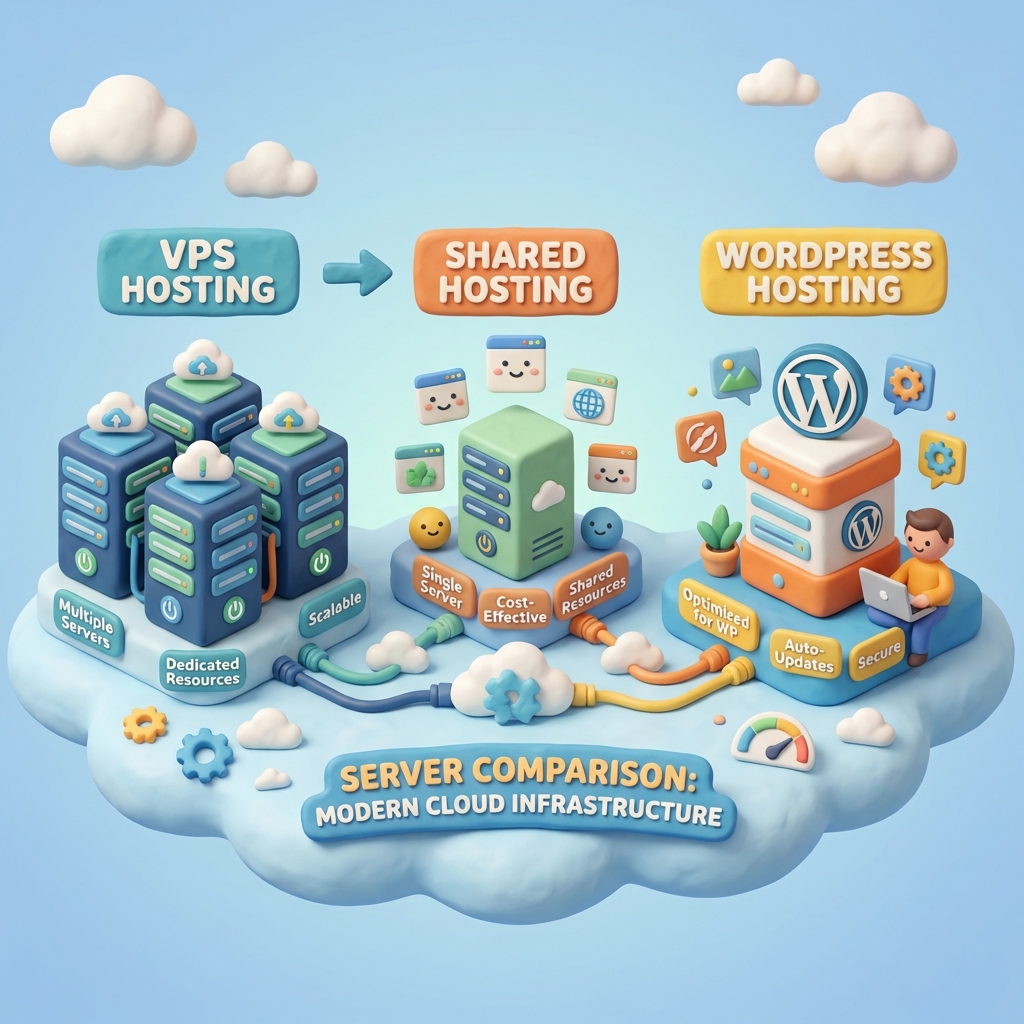
Understanding the Basics: What is Shared Hosting?
Shared hosting (or shared hosting) is the entry point for most websites. Imagine it's like living in a large apartment building. You pay an affordable rent to have your own space (your apartment), but you share all the building's fundamental resources with the other tenants: water, electricity and common areas.
In hosting terms, your web site resides on a server along with hundreds, sometimes thousands, of other sites. They all share the same server resources: CPU, RAM, bandwidth and disk space. It's an inexpensive and simple solution, ideal for getting started.
Advantages of Shared Hosting for WordPress
- Extremely Low Cost: It is the cheapest option on the market, perfect if you are launching your first blog, a personal portfolio or a small business site on a tight budget.
- Ease of use: Shared hosting providers usually offer intuitive control panels such as cPanel or Plesk. They take care of all server maintenance, updates and system-level security, relieving you of the technical burden.
- Quick Configuration: Most plans include one-click WordPress installers, allowing you to have your site up and running in a matter of minutes with no technical knowledge required.
Disadvantages of Shared Hosting for WordPress
- Limited Performance: When sharing resources, if another site on the same server experiences a massive traffic spike or consumes too much CPU, your site can slow down drastically. This is the famous «noisy neighbor effect».
- Restricted Scalability: If your site starts to grow and receive more traffic, you will quickly run up against the limits of the shared plan. You can't just add more RAM or CPU as needed.
- Less Control: You do not have root access to the server. This means that you cannot install specific software or customize server settings to optimize WordPress performance to your liking.
- Shared Security Risks: Although providers implement security measures, if a website on the server is hacked due to a malpractice of its owner, it could potentially open a breach to affect other sites in the same shared environment.
Critical Note: The main drawback of shared hosting is the lack of guaranteed resources. A traffic spike on a «neighbor's» site can make your online store inaccessible during an important sale.
The Quality Leap: What is a Virtual Private Server (VPS)?
If the shared hosting is an apartment, a VPS (Virtual Private Server) is like having a condo or townhouse. You are still in a building (a physical server), but you have your own completely isolated space with guaranteed resources. Using virtualization technology, a physical server is split into multiple virtual servers, each functioning as an independent environment.
With a VPS, you get a dedicated portion of RAM, CPU and disk space that no one else can use. This solves the «noisy neighbor» problem and gives you much more control and power.
Advantages of WordPress VPS Hosting
- Superior and Guaranteed Performance: Your resources are yours alone. This translates into faster load times, greater stability and the ability to handle traffic spikes without affecting your site's performance.
- Flexible scalability: Your site is growing? Most VPS providers allow you to increase your resources (RAM, CPU) with a few clicks, adapting to the growth of your project without the need for a complex migration.
- Total Control (Root Access): With a VPS (especially an unmanaged one), you have full control over the server environment. You can install the software you want, optimize PHP, database and web server settings to squeeze the most out of WordPress.
- Improved security: Your environment is isolated from others. Other users' bad security practices will not directly affect your server, which significantly reduces the risk of cross-infection.
Disadvantages of WordPress VPS Hosting
- Higher Cost: A VPS is significantly more expensive than a shared plan. Pricing reflects the guaranteed resources and greater flexibility it offers.
- Technical Learning Curve: This is where the «WordPress on VPS or shared» decision gets complicated. An unmanaged VPS (unmanaged) gives you a base operating system and you are responsible for everything else: installing the control panel, the web server (Apache, Nginx), PHP, the database, and configuring security, firewalls and backups.
- Maintenance Responsibility: You are the system administrator. You are responsible for security updates, operating system patches and monitoring the server to prevent problems.
Good Practice: If you don't have experience in system administration, but need the power of a VPS, always consider a Managed VPS. The provider will take care of the technical maintenance of the server, giving you the best of both worlds.
The Smart Third Way: Managed WordPress Hosting
When debating between WordPress on VPS or shared, often overlooks one category that solves the main dilemmas of both options: managed WordPress hosting (Managed WordPress Hosting). This solution is gaining enormous popularity, and for good reason.
As the hosting provider points out DreamHost in its analysis, managed hosting is not just a space on a server; it is a comprehensive concierge services package designed specifically for WordPress. It combines the power and resources of an optimized environment (often similar to a VPS) with the ease of use of shared hosting, completely eliminating the technical burden on the user.
Who is Managed WordPress Hosting for?
This type of hosting is designed for a very specific profile: «beginners or business owners who prefer not to spend time on technical maintenance». The idea is to delegate all the complexity so you can focus on what really matters: «growing your business». If your website is a critical business tool, this is an option you should seriously consider.
Key Benefits of Managed Hosting
- Simplicity and Tranquility: One of its major advantages is its simplicity. The provider takes care of the «technical side of managing a site, such as WordPress updates and backups», freeing you from critical but tedious tasks.
- Professional Level Security: Security is a fundamental pillar. Your site «is in the hands of trusted professionals». These platforms often include advanced security layers such as web application specific firewalls (WAF), proactive «malware scanning and cyber-attack defense». If something goes wrong, they fix it.
- Performance Optimized for WordPress: The servers are finely tuned for WordPress. They include advanced technologies such as server-side caching (Varnish, Nginx FastCGI), integrated CDN (Content Delivery Network) and the latest versions of PHP, all preconfigured for maximum speed.
- Time Saving Tools: They offer valuable features such as test areas (staging environments) to test changes before publishing, free migrations, pre-installed SSL certificates and automatic daily backups with one-click restore.
The Impact on your Business: The choice of hosting is strategic. As mentioned in the source, your hosting is «the foundation on which your customers walk». A «slow and unstable site can frustrate visitors and hurt your business,» directly affecting your ability to generate leads, sales or conversions. You can use tools such as Google PageSpeed Insights to see how good hosting impacts speed.
Comparison Chart: WordPress on VPS or Shared vs. Managed
To simplify the decision, here is a direct comparison of the three types of accommodation:
Shared Accommodation
- Ideal for: Beginners, personal blogs, sites with low traffic.
- Cost: Very low.
- Performance: Low and variable.
- Maintenance: Null (done by the supplier).
- Control: Very limited.
VPS Hosting (Unmanaged)
- Ideal for: Developers, technical users, growing sites that need custom configurations.
- Cost: Medium to high.
- Performance: High and guaranteed.
- Maintenance: High (your responsibility).
- Control: Full (root access).
Managed WordPress Hosting
- Ideal for: Business owners, online stores, high traffic sites where performance and security are critical but you are not technically savvy.
- Cost: Medium to high.
- Performance: Very high and optimized.
- Maintenance: Null (done by the supplier).
- Control: Limited at the server level, but with all the necessary tools to manage WordPress.
Conclusion: Which Hosting to Choose for your WordPress?
The final decision on whether to use WordPress on VPS or shared (or managed) depends on three factors: your budget, your technical knowledge and the current and future needs of your website.
- Choose Shared Accommodation if: You're just starting out, your budget is very limited and your site is simple, like a personal blog or portfolio. It's a great starting point to learn.
- Choose a VPS Hosting if: You've outgrown shared hosting, need consistent performance, have the technical knowledge to manage a server (or are willing to learn) and require custom configurations that a shared or managed environment does not allow.
- Choose a Managed WordPress Hosting if: Your website is crucial to your business, you value your time above all else, and you want the best possible performance, security and support without having to worry about any technical issues. It's an investment in peace of mind and growth.
Analyze your project honestly. Don't be driven by price alone. Think about the future and the value of your time. The foundation on which you build your site will largely determine its ability to grow and succeed.
Do you need help with this?
We identify and resolve performance issues, errors, and configuration problems with your WordPress site at their root. Discover our WordPress Technical Audit Service.


