
WordPress Multisite is one of those features that generates huge expectations and, just as often, huge disappointments. In my experience as a senior WordPress developer specializing in PHP, Vue.js and plugin development, I've implemented Multisite networks for enterprise projects with dozens of sub-sites and I've also had to dismantle Multisite installations that were never meant to be. Today I want to explain to you with technical clarity when it makes real sense to activate Multisite and when it is better that you don't even touch it.
What is WordPress Multisite and how does it work?
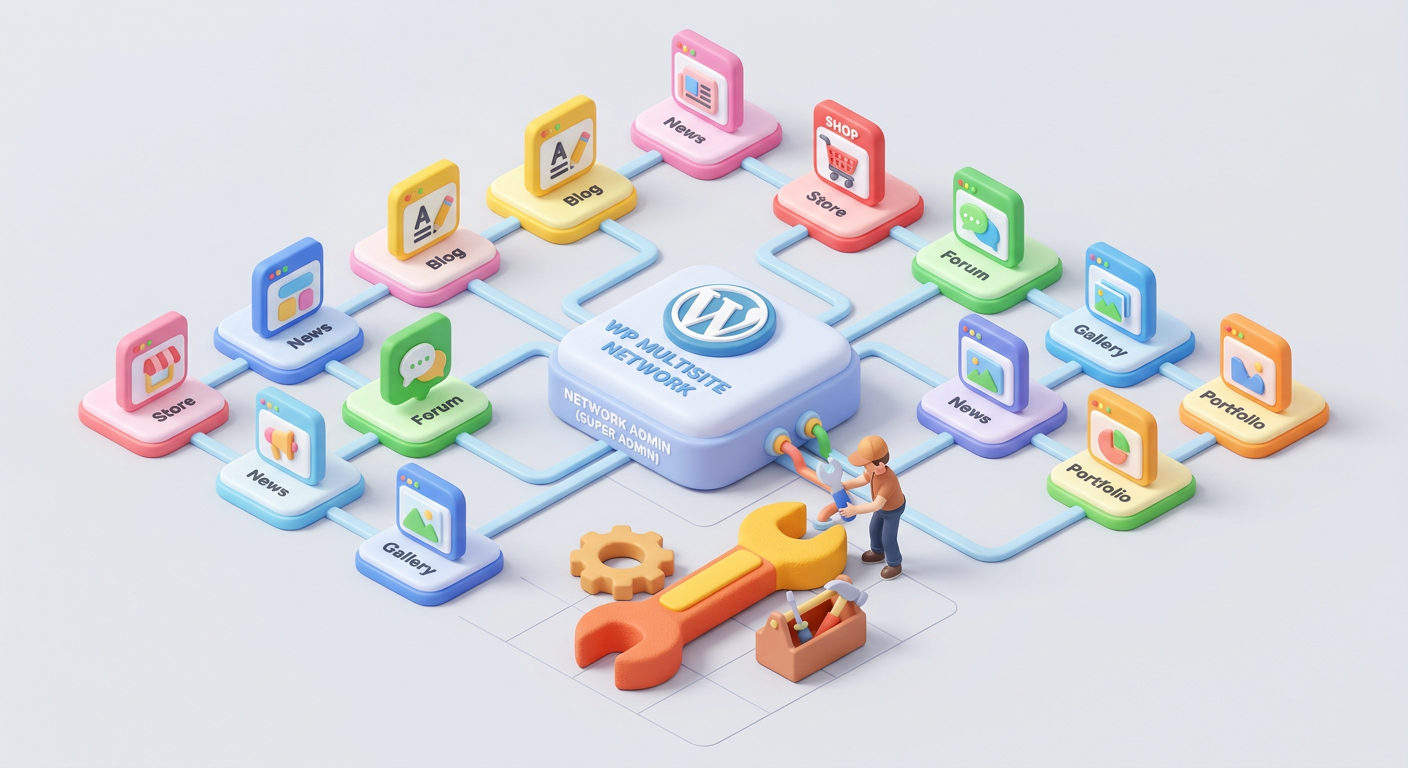
WordPress Multisite is a native feature of the WordPress core -available since version 3.0- that allows you to manage multiple websites from a single installation. It's not a plugin, it's not a hack: it's a built-in capability that is activated by a constant in the file. wp-config.php.
When you activate Multisite, WordPress creates additional tables in the database for each subsite in the network. All sites share the same WordPress core, the same installed plugins and the same themes, but each has its own content, its own users and its own media file directory. As explained by Wetopi in his guide on WordPress Multisite, The main installation manages all sub-sites as if they were in a centralized network.
WordPress Multisite subdomain vs subdirectory
When setting up the network, the first important technical decision is to choose the URL structure. You have two options:
- Subdomains: Each subsite lives on its own subdomain (e.g.,
blog.yourdomain.com,store.yourdomain.com). Requires wildcard DNS configuration on the server. - Subdirectories: Each subsite is hosted on a path in the main domain (e.g.,
yourdomain.com/blog,yourdomain.com/shop). Easier to configure but only available for new installations or installations that have not been active for more than one month.
Attention: This decision cannot be changed after activation without recreating the network from scratch. The choice between wordpress multisite subdomain vs subdirectory should be taken with technical judgment before touching a single configuration line.
In general, subdomains work best when each site needs its own distinct identity. Subdirectories are more appropriate when the sites clearly belong to the same brand and the SEO must be consolidated under a single domain.
What does WordPress Multisite allow?
This is one of the questions I get the most, and the answer goes beyond «manage multiple sites». Multisite allows:
- Centralize updates: A single update of core, themes and plugins is applied to the entire network. If you manage 30 sites, this saves hours of maintenance.
- Control permissions in a granular way: The role of super administrator manages the entire network, while the administrators of each subsite only control their own space. Subsite administrators cannot install plugins or themes on their own.
- Sharing server resources: A single WordPress installation consumes fewer resources than 30 separate installations with their own copies of core, plugins and themes.
- Activate/deactivate themes and plugins per site: Although all sites share the same library of plugins and themes, the super administrator decides which ones are available for each subsite.
- WordPress Multisite domain mapping: Assign completely independent domains to each subsite. This means that
site-a.comandsite-b.escan live on the same Multisite network without the end user knowing it.
Why use WordPress multisite?
The main reason is operational efficiency. But I want to be specific with the scenarios where it really pays off:
Multi-site corporate networks
A company with offices in Madrid, Barcelona and Valencia that needs one site per location with the same corporate image but with localized content. Multisite allows to maintain brand consistency without duplicating work. As pointed out by cdmon in his article about WordPress Multisite, This is one of the most common and best justified use cases.
Multi-language projects
If you need to manage content in multiple languages independently (not simple machine translations), Multisite offers a clean architecture where each language has its own site with its own editorial team.
Event or publication networks
Event managers, cultural promoters or publication networks where each event or publication has its own identity and content but share technical infrastructure.
Universities and educational institutions
Each department, faculty or research project can have its own website within a centralized network that the IT team manages with a single dashboard.
General rule: Multisite makes sense when you manage multiple sites that share purpose, technology or branding, and you need efficiency in centralized management. If the sites are independent throughout, Multisite is probably not the answer.
When NOT to use WordPress Multisite
This is where many projects get unnecessarily complicated. I've seen Multisite implementations that generated more problems than they were trying to solve. Avoid Multisite in these cases:
- Sites with very different functionalities: If one site is an ecommerce site with WooCommerce and another is a simple blog, forcing them on the same network means that they both load each other's infrastructure without needing it.
- You need separate databases: Multisite stores everything in a single database. If a customer needs access to your database or you have compliance requirements that demand data isolation, Multisite does not comply.
- You only have 2-3 unrelated sites: The overhead of managing a Multisite network doesn't pay off if you only have a handful of sites that don't share anything.
- You need site-specific plugins: If each site needs different and unique plugins, centralized plugin management becomes a limitation rather than an advantage.
- A site receives a disproportionate volume of traffic: In Multisite, a traffic spike on one subsite affects the entire network. Without isolation at the server level, one viral site can knock down the others.
The most expensive mistake I've seen: an agency that migrated 45 independent client sites to a single Multisite network «for simplicity». Result: a conflicting plugin crashed all 45 sites simultaneously, and restoring backups was a nightmare because they couldn't restore a single site without affecting the others.
WordPress Multisite setup: key technical considerations
If, after evaluating your case, you decide that Multisite is the right choice, the wordpress multisite setup requires attention to several points that many tutorials omit:
Server requirements
Required constants in wp-config.php:
/* Enable Multisite */
define( 'WP_ALLOW_MULTISITE', true );

/* After configuring the network from the panel: */
define( 'MULTISITE', true );
define( 'SUBDOMAIN_INSTALL', true ); // false for subdirectories
define( 'DOMAIN_CURRENT_SITE', 'yourdomain.com' );
define( 'PATH_CURRENT_SITE', '/' );
define( 'SITE_ID_CURRENT_SITE', 1 );
define( 'BLOG_ID_CURRENT_SITE', 1 );
WordPress Multisite hosting
Not all hostings support Multisite correctly. The wordpress multisite hosting must be met as a minimum:
- Support for wildcard subdomains: Essential if you use the subdomain structure.
- Scalable database capacity: Each subsite creates approximately 10-12 additional tables. With 50 sites, you can have over 600 tables in a single database.
- PHP memory limit: I recommend a minimum of 256 MB, ideally 512 MB for medium-sized networks.
- Flexible web server configuration: Nginx or Apache with Multisite specific rewrite rules.
- Granular backups: The ability to restore individual sub-sites without affecting the rest of the network.
Beware of shared hosting: Most shared hosting plans are not prepared for Multisite networks with more than 5-10 sub-sites. A VPS or managed WordPress hosting with explicit Multisite support is the serious option.
Domain mapping in practice
The wordpress multisite domain mapping allows each subsite to use its own custom domain. Since WordPress 4.5, this functionality is integrated into the core and you no longer need external plugins like the old WordPress MU Domain Mapping. All you need is:
- Point the DNS of the external domain to the IP of your server.
- Configure the domain as alias in your web server (ServerAlias in Apache or server_name in Nginx).
- Assign the domain to the subsite from the network administration panel.
In my experience, domain mapping works cleanly on networks of up to 20-30 domains. Beyond that, SSL certificate management (you need a certificate for each domain or a wildcard + individual certificates) and server configuration require dedicated attention.
Plugins and compatibility: the critical point
Not all WordPress plugins support Multisite. Before committing to this architecture, verify that the plugins essential to your project explicitly support multisite networks. The most common problems I encounter:
- Cache plugins that do not distinguish between sub-sites and serve incorrect content.
- SEO plugins that do not correctly manage sitemaps per subsite.
- Ecommerce plugins that assume a single store per installation.
- Form plugins that store data without differentiating the originating subsite.
Good practice: Before setting up the production network, create a staging environment with the complete Multisite structure and test each critical plugin on at least two different sub-sites. Thirty minutes of pre-testing can save you weeks of problems in production.
Multisite performance and scalability
The performance of a Multisite network depends directly on the initial technical planning. These are the factors I monitor in the networks I manage:
Key metrics to watch:
Database:
- Total size of tables per subsite
- Queries per page (target: < 50)
- Query response time (target: < 0.5s)

Server:
- PHP memory consumed per request
- TTFB response time (target: < 400ms)
- Object cache usage (Redis/Memcached: essential)
Without an object cache layer (Redis or Memcached), a Multisite network with more than 10 active sub-sites quickly becomes slow. Queries to the database multiply with each subsite and without cache, each request hits the database directly.
My technical recommendation
After having implemented and maintained Multisite networks of different sizes, my recommendation can be summarized as follows:
- Less than 5 unrelated sites: Stand-alone installations. Not worth the Multisite overhead.
- 5-50 related sites (same brand, same organization): Multisite is the most efficient option.
- More than 50 sites or sites with very different requirements: Evaluate centralized management solutions such as ManageWP or MainWP that offer the advantages of centralized administration without the technical limitations of sharing database and installation.
Multisite Consulting: the step before activating anything
If you are evaluating WordPress Multisite for an enterprise project, a network of sites or a multi-brand platform, the smartest thing to do is to do a technical analysis before committing to an architecture. In a Multisite consulting I evaluate your specific case: number of sites planned, functionalities per site, hosting requirements, domain strategy and plugin compatibility. The goal is for you to make the right decision before writing a single line of configuration, not after discovering that Multisite wasn't a good fit. If you manage or plan to manage multiple WordPress sites, request a Multisite consultancy and avoids months of technical problems due to an ill-informed decision.
Do you need help with this?
We design websites that are built to turn visitors into customers—not just to look good. Discover our strategic web design service.


