
Choosing the right tools to build your WordPress website is one of the most critical decisions you will make. It directly affects performance, usability, and your ability to create the design you envision. At the center of this debate are two giants: Gutenberg and Elementor. If you're wondering which is the best choice for your project, you've come to the right place. In this definitive guide, we'll break down the **Gutenberg vs Elementor** battle, analyzing their advantages, disadvantages, and the ideal scenario for each, so you can make an informed and powerful decision.
Understanding Content: What are Gutenberg and Elementor?
Before diving into a direct comparison, it is essential to understand the origin and purpose of each tool, as their fundamental differences stem from here.
What is Gutenberg? The WordPress Native Editor
Gutenberg, also known as the «Block Editor», is not a plugin that you install, but the WordPress default content editor since the release of WordPress 5.0 in 2018. Its introduction was a strategic move by WordPress to modernize the content creation experience, responding to the growing popularity of external visual builders.
Its philosophy is based on «blocks». Each element on your page - a paragraph, an image, a title, a video, a list - is an individual block that you can add, move and configure. As experts at reference platforms such as Kinsta, Gutenberg was created to be an integral and lightweight part of the WordPress core.
Key Point: Think of Gutenberg as the native, optimized foundation that WordPress gives you to build on. It aims for simplicity, speed, and seamless integration with the WordPress ecosystem.
What is Elementor? The Third Party Page Builder
Launched in 2016, Elementor is a third-party page builder plug-in (page builder). It quickly became one of the most popular in the market, even before Gutenberg existed. Its value proposition is to offer total design control through a visual drag-and-drop interface.
Unlike Gutenberg, which operates primarily from the WordPress backend, Elementor immerses you in a front-end editing experience. This means you build your page by seeing exactly how it will look to the visitor in real time. As highlighted by comparative analyses from hosting experts such as Webempresa, This visual capacity is its main attraction.
Key Point: Elementor is an advanced design layer that you install on top of WordPress. It aims for limitless design flexibility, granular customization and a visual and intuitive authoring experience.
Gutenberg vs Elementor: Detailed Comparison
Now that we know their roles, let's pit these two titans against each other in the categories that matter most to any WordPress user.
1. Interface and Editing Experience
Here we find one of the most marked differences.
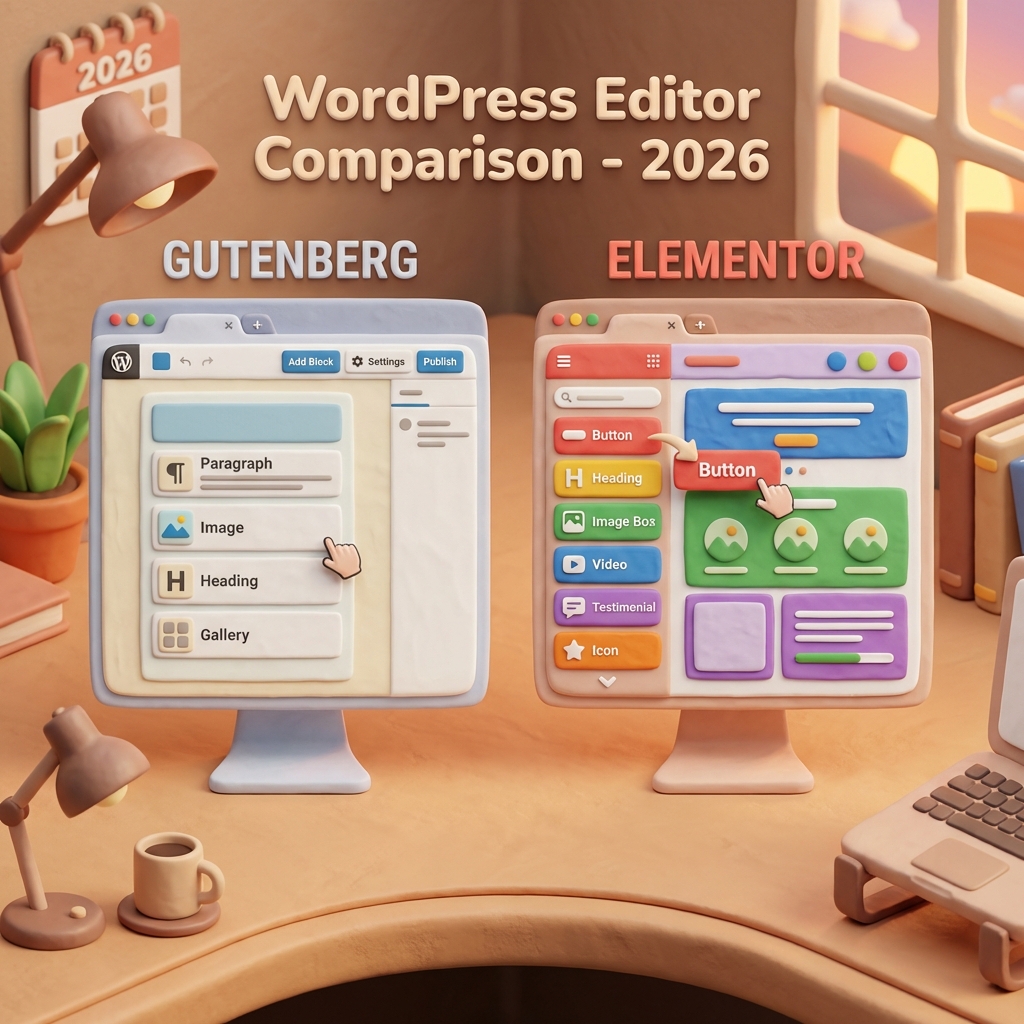
- Gutenberg: It offers a clean, minimalist interface integrated into the WordPress dashboard. Although it has been greatly improved to show a more faithful preview of the content, editing is still focused on the backend. You add blocks from a menu and configure them in a sidebar. It's functional and fast, but lacks full visual immersion.
- Elementor: It is famous for its fully visual web design interface. You load the editor and see your website live. On the left, you have a panel with all the widgets that you can drag and drop directly on the page. You click on any element and the styling options appear instantly. It's the definition of WYSIWYG (What You See Is What You Get).
Verdict: For a purely visual, real-time design experience, Elementor is the undisputed winner. For those who prefer a faster, more integrated and content-focused interface without distractions, Gutenberg is superior.
2. Performance and Loading Speed
Site speed is a crucial factor for SEO and user experience. In this aspect, the nature of each builder plays a decisive role.
- Gutenberg: Being native, it generates much cleaner and lighter code. It doesn't add extra layers of CSS or JavaScript unless strictly necessary for the blocks you use. The result is usually a faster website with better scores in tools like Google's PageSpeed Insights.
- Elementor: To offer its enormous flexibility, Elementor needs to load its own style files (CSS) and scripts (JS). This can add more weight to the page, resulting in slightly slower load times. However, Elementor has greatly improved its performance and offers built-in optimization tools (such as conditional loading of assets) to mitigate this impact.
Verdict: In terms of «off-the-shelf» performance, Gutenberg has a clear advantage because of its lightweight and native nature. However, a well-optimized Elementor site can be just as fast. The key is to use good optimization practices.
3. Element Library: Blocks vs Widgets
The power of a builder lies in the elements he offers you to build.
- Gutenberg: It natively includes a robust library with about 100 blocks of content. These cover from the most basic (paragraphs, headings, images) to more complex elements such as columns, buttons, and integrations with services such as Twitter or YouTube. In addition, its ecosystem is huge, with plugins such as Kadence Blocks or Spectra that add hundreds of advanced blocks and design patterns.
- Elementor: Its free version offers about 40 basic widgets, while the Pro version expands this figure to over 100 advanced widgets (forms, sliders, pricing tables, testimonial carousels, etc.). The quality and customization options of each Elementor widget are usually much deeper than those of a basic Gutenberg block.
Verdict: For advanced and specific functionalities without the need to install additional plugins, Elementor Pro widget library is more comprehensive. For standard blogging and content needs, the native Gutenberg library, extended with a good block plugin, is more than enough.
4. Templates and Design Workflow
Do you want to start with a blank canvas or do you prefer an almost ready-to-use design?
- Gutenberg: Their focus is on «Block Templates», which are pre-designed sections (such as an «About Us» or a «Features» section) that you can insert and modify. Modern block-based themes (Full Site Editing) also come with full templates, but the ecosystem is still maturing.
- Elementor: This is one of its strongest points. Elementor is known for its «elegant starter templates (ready to import)». With a couple of clicks, you can import a complete page or even an entire website (Website Kit) with a professional design. This drastically speeds up the design process, being a favorite for agencies and freelancers.
Verdict: If your workflow is based on speed and the use of ready-to-use professional templates, Elementor wins by a landslide. Its library of templates and kits is immense and of high quality.
5. Integration and Compatibility with Themes
How does each builder get along with the rest of the WordPress universe?
- Gutenberg: Being a fundamental part of WordPress core, Gutenberg's compatibility with modern themes is, as Kinsta states, «essentially mandatory». This guarantees a deep, stable and seamless integration. There is no conflict because it is the standard.
- Elementor: It is compatible with the vast majority of WordPress themes. However, being a third-party plugin, there is always a small possibility of conflict with certain themes or plugins. To avoid this, many users opt for themes designed specifically for Elementor, such as «Hello Elementor», which is an ultra-lightweight blank canvas.
Verdict: By its nature, Gutenberg offers more native and future-proof integration. Elementor is incredibly compatible, but requires extra consideration when choosing the right theme.
6. Cost: Free or Paid?
- Gutenberg: It is 100% free of charge and always will be, as it is part of WordPress. The associated costs would come from purchasing premium block plugins or advanced themes.
- Elementor: Offers a very powerful free version, enough to create complete and functional websites. However, its true power is unlocked with Elementor Pro, which is an annual subscription. The Pro version adds theme builder, popup builder, WooCommerce builder and dozens of advanced widgets.
Verdict: If the budget is zero, both are viable. Gutenberg is the cheaper option in the long run. Elementor Pro is a worthwhile investment if you need its advanced features to save time and achieve complex layouts.
Quick Comparison Chart: Gutenberg vs Elementor
| Feature | Gutenberg (Block Editor) | Elementor |
|---|---|---|
| Type | WordPress native editor | Third party plugin (Page Builder) |
| Interface | Integrated in the backend, minimalist | Visual, frontend, drag-and-drop (WYSIWYG) |
| Performance | Very high (clean and native code) | Good (requires optimization by extra code) |
| Learning Curve | Low for basics, medium for mastering | Low-medium, very intuitive visually |
| Design Control | Good (limited without additional plugins) | Total and granular |
| Templates | Block patterns and theme templates | Extensive library of pages and site kits |
| Cost | 100% Free | Free Powerful Version + Pro Subscription |
Who Should Use Gutenberg?
Gutenberg is the ideal choice for:
- Bloggers and Content Creators: Its distraction-free interface and focus on content make it perfect for writing articles and posts.
- Users who prioritize speed: If flawless web performance and top speed scores are your top priority, Gutenberg is the way to go.
- Minimalists and Developers: Those looking for a clean, stable and future-proof base for building custom sites or themes will find Gutenberg the perfect ally.
- Projects with Limited Budget: Being free and very capable, it is the most cost-effective option to start with.
Who Should Use Elementor?
Elementor is the best choice for:
- Web Designers and Agencies: Total control over design, workflow efficiency and the ability to create visually stunning sites quickly are unrivaled.
- Business Owners (DIY): If you don't know how to code but want absolute control over the look and feel of your web and landing pages, Elementor is incredibly empowering.
- E-commerce sites: Elementor Pro's deep integrations with WooCommerce allow you to customize every part of your online store, from product pages to checkout.
- Creation of Landing Pages: For marketing campaigns, Elementor's speed of creation and design flexibility are ideal for building high-converting landing pages.
Conclusion: The Final Decision on Gutenberg vs Elementor
At the end of the day, the **Gutenberg vs Elementor** battle has no single universal winner. The best tool is the one that aligns with your goals, skills and the needs of your project.
If you value the speed, simplicity and native integration with the future of WordPress, Gutenberg is your champion. It's the smart choice for blogs, content sites and those looking for a solid, optimized foundation.
If your priority is the freedom of design, total visual control and fast workflow to create complex and aesthetically polished websites, Elementor is your winning tool. It's the Swiss Army Knife for designers, agencies and anyone who wants to build without visual limitations.
Our final tip: Try both! Install a WordPress trial, create a page with Gutenberg and familiarize yourself with the blocks. Then install the free version of Elementor and experiment with its visual interface. Hands-on experience will tell you more than a thousand words and guide you to the perfect choice for you.
Do you need help with this?
We design websites that are built to turn visitors into customers—not just to look good. Discover our strategic web design service.


